
How to Create an Email Account Without a Phone Number: Step-by-Step Guide
Did you know that you can create an email account without linking it to a personal phone number? In today’s world, where privacy concerns are at an all-time high, many users are seeking ways to safeguard their personal information while managing multiple online accounts. You may have encountered the frustrating phone verification step during signup, but what if you could skip it entirely?
This guide will show you exactly how to create an email without phone number verification, helping you maintain your privacy and avoid unwanted spam. We’ll walk you through simple and effective methods that allow you to take control of your digital footprint, no phone number required!
Why You Might Want to Create an Email Without a Phone Number
Phone verification is increasingly common across email and social platforms, but it isn’t always necessary. Here are some legitimate reasons to avoid it:
- Privacy: Keep your real number private and protect your identity.
- Spam Prevention: Avoid linking your inbox to marketing lists or data harvesters.
- Multiple Accounts: Run numerous email addresses without juggling multiple SIMs.
- Temporary Access: Perfect for disposable or short-term projects.
Methods to Create an Email Account Without a Phone Number
Method 1: Use a Temporary Phone Number
If a provider demands a phone number, the most effective solution is to use a temporary phone number that allows you to receive SMS online.
These services provide short-term or virtual numbers that can be used for one-time verifications. They’re ideal for email signups, app registrations, or other basic uses where you don’t want to share your real number.
Advantages of Temporary Numbers:
- No need for a physical SIM card
- Instant availability from multiple countries
- Easy access via browser or mobile
- Ideal for multiple or short-term email accounts
Things to Watch Out For:
- Some platforms block publicly used numbers
- Messages may be visible to others (unless using a private service)
- Numbers may expire quickly or not work for 2FA
Method 2: Sign Up with Email Providers That Don’t Require Phone Verification
Some email services allow you to bypass the phone number requirement altogether. Here are a few that are known to work:
| Email Provider | Phone Required? | Key Features |
| ProtonMail | ❌ (optional) | Encrypted, privacy-first, based in Europe |
| Tutanota | ❌ | Fully secure, no ads, open source |
| Mail.com | ❌ (optional) | Custom domains, good for aliases |
| GMX | ❌ | Basic features, international access |
Tip: Use a private browser or VPN to avoid region-based restrictions and reduce the chance of verification being triggered.
Method 3: Gmail Without a Phone Number (Workaround)
Although Gmail often requires phone number verification, there are methods to create an account without linking a phone number. This can be done by leveraging certain strategies like using a fresh browser session, a private window, or an alternate device. Below is a step-by-step guide for creating a Gmail account without needing to provide a phone number.
On Android:
- Open the Settings App
Start by opening the Settings app on your Android device. - Navigate to Google Accounts
Find and tap on the Passwords & Accounts section, or a similar category depending on your Android version. Then, select Google and tap Manage your Google Account. - Choose to Add Another Account
Tap Add another account and select Google to begin the account creation process. - Enter Personal Information
Fill in your name, birthdate, gender, and tap Next. - Create Your Email Address
Choose your desired email address and create a strong password. Then, tap Next. - Skip Phone Verification
When prompted to add a phone number, tap Skip. You can optionally add a recovery email address for account security. - Review and Confirm
Review the information you’ve provided, then confirm and complete your Gmail account creation without linking a phone number.
On iOS (iPhone/iPad):
- Access the Settings App
Launch the Settings app on your iOS device. - Go to Mail Accounts
Navigate to Mail and tap on Accounts, then select Add Account and choose Google. - Create Your Google Account
Tap Create Account, and fill in your first and last name, date of birth, gender, and the email address you want. Then, create a strong password. - Skip Phone Number
When prompted for a mobile number, select Skip. You can add a recovery email address for security purposes. - Review and Confirm
Review your account information and confirm your choice to create the Gmail account without a phone number.
On Desktop:
- Open Gmail in Incognito Mode
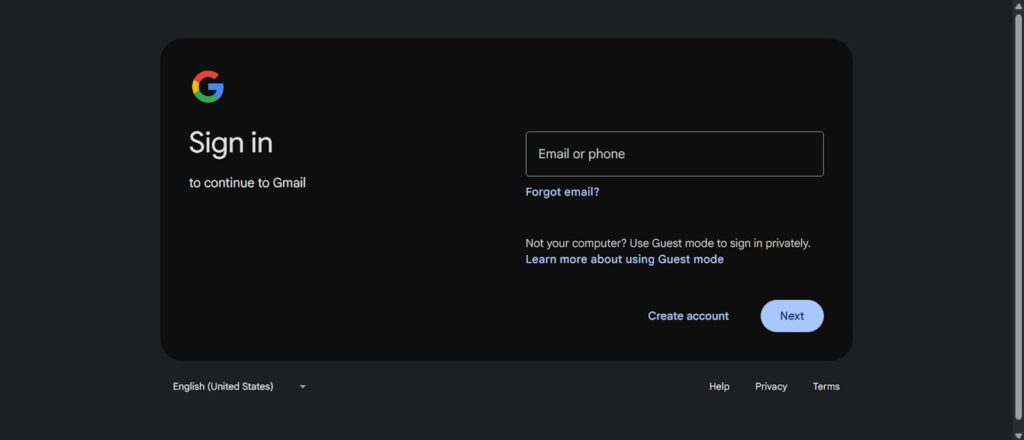
To prevent any existing cookies or sessions from interfering, open an Incognito window in your browser and go to the Gmail website. - Start the Signup Process
Click Create Account in the bottom-left corner.
- Enter Your Information
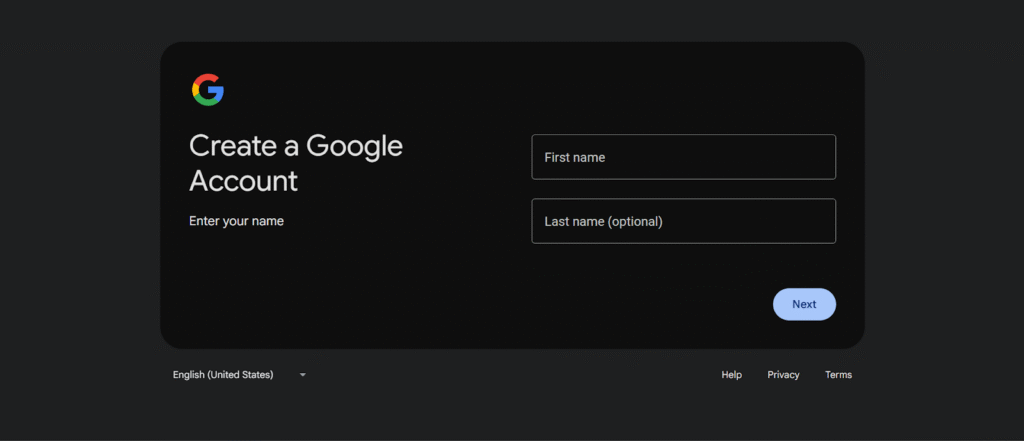
Provide your first and last name, date of birth, gender, and choose your email address. Create a strong password.
- Skip Phone Verification
When prompted to enter a phone number, select Skip. You may add a recovery email for account security. - Review and Complete
Double-check the information you’ve entered, then confirm to finish creating your Gmail account without the need for a phone number.
Final Thoughts
In conclusion, creating an email without a phone number is not only a viable option but also an essential practice for many users today. By using the right methods, you can easily bypass phone number verification and still maintain full access to your email services. Whether you’re aiming to protect your privacy, manage multiple accounts, or avoid spam, these strategies offer a practical and secure solution. In today’s digital age, safeguarding your information has never been more crucial. Take charge of your online experience and start creating email accounts without phone numbers for a more secure and manageable digital life.
FAQ
1. Can I create a Gmail account without a phone number?
Yes, you can. Use Incognito mode or a fresh browser session to skip the phone number prompt during sign-up.
2. Why do email providers ask for a phone number?
They use it for identity verification, account recovery, and fraud prevention, though it’s not always necessary.
3. Is it safe to create an email without a phone number?
Yes, it can be safe if you use a recovery email and enable two-factor authentication for added security.
4. What happens if I skip phone number verification?
You may lose access to SMS-based account recovery, and some features may be limited, but the account remains functional.
5. Can I use a temporary phone number?
Yes, temporary phone numbers can be used to bypass phone number verification during sign-ups, though some services block them.
6. What email providers don’t require a phone number?
Providers like ProtonMail, Tutanota, Mail.com, and GMX don’t always require a phone number.
7. Will a VPN help avoid phone verification?
Yes, a VPN can help bypass region-based restrictions and may reduce the likelihood of phone number verification.
8. Can I recover my email account without a phone number?
Yes, using a recovery email is a good alternative for account recovery if you skip phone verification.
